Remove Reviews

Remove Background from Image for Free – remove.bg

3.76
82 reviews
Great Rating
Based on 82 user experiences
All 5 ★ 4 ★ 3 ★ 2 ★ 1 ★ 😊 Positive 😐 Neutral 😞 Negative Reset Filter
F

I have used this many times and it fails to disappoint

Amazing website thank you for all your services
J

Quality of background removal

Remove bg is a high quality service for background removal
S

Great customer service and product

Great customer service and product We have renewed for our 4th year
A

Terrific free software

Very easy to use and powerful free software The image cutouts are excellent
T

Best background removal site ever

Remove the background of any image super easily and fast the best website ever
P

Bloody Amazing

This is amazing This site removed 99 of the BG image and I only spent a few minutes cleaning up a few spots Makes Photoshop 2021 look like photoshop 1960 Thank you
M

Very convenient

It is very useful I often have to remove the background from an image and when I search for it it always pops up It works well and it is fast and useful
A

It is a top 1 team

It is a top 1 team the program does its job very well I highly recommend everyone to use this program to instantly remove unwanted backgrounds and add according to everyone s preferences
O

Best Platform Ever Encountered on Image Editing

Platform is reliable convenient and expect nothing but the very best Thank you remove bg
Y

Great work

You can t imagine how did that help meyou saved most of my time I m spending on photoshop trying to detect the edges of the element I want to cropthank you and best wishes 3

About Remove

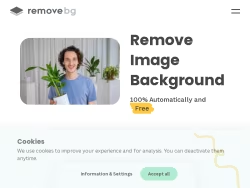
Remove image backgrounds automatically in 5 seconds with just one click. Don't spend hours manually picking pixels. Upload your photo now & see the magic.

United States

Visit Website

Own this business?

Claim your profile to respond to reviews, manage your listing, and build trust with customers.

Claim This Business

Frequently Asked Questions

Remove.bg is an online platform powered by artificial intelligence that specializes in automatically removing backgrounds from images. It allows users to isolate subjects from photos with a single click, eliminating the need for manual editing in complex software. The service processes images quickly, producing results with transparent backgrounds or enabling the application of new solid colors or background images.

Using Remove.bg is straightforward. You can upload an image directly from your computer, paste an image URL, or drag and drop a file into the browser window on the website. The AI will process the image within seconds. After processing, you can download the result, typically in PNG format with a transparent background, or select a new background color or image to replace the original.

Remove.bg supports various image types, including portraits, product photos, and graphics. For optimal results, it is recommended to use images with high contrast between the subject and the background. The AI is particularly adept at handling complex edges such as hair, fur, and intricate details, making it effective for a wide range of visual content.

Yes, Remove.bg provides a free tier that allows users to process a limited number of low-resolution images per month. This is suitable for personal projects, testing, or casual use. For higher resolution downloads, increased monthly edits, and additional features, users can upgrade to a Pro subscription.

A Remove.bg Pro subscription offers several benefits, including higher resolution downloads (up to 25 megapixels), batch processing for multiple images, and an increased number of monthly edits. These features are tailored for professionals, businesses, and users with higher-volume needs who require enhanced quality and efficiency in their background removal tasks.
Looking for Remove alternatives? We've ranked 20+ similar companies by reviews.
View All Alternatives

About Remove

Remove.bg: An AI-Powered Background Removal Tool

Remove.bg is a specialized online platform dedicated to one core function: automatically removing the background from images. Utilizing advanced artificial intelligence, the service allows users to isolate subjects from photos with a single click, eliminating the need for complex manual editing in software like Photoshop. The website serves a broad audience, from professional designers and marketers to social media enthusiasts, e-commerce sellers, and casual users, by offering a fast, reliable, and accessible solution for a common digital task.

Core Functionality and User Experience

The primary workflow on Remove.bg is remarkably straightforward. Users can upload an image directly from their computer, paste an image URL, or drag and drop a file into the browser window. The AI processes the image within seconds, producing a result with a transparent background (PNG format) or allowing the user to select a new solid color or background image. The technology is particularly adept at handling complex edges, such as hair, fur, and intricate object details, which are traditionally challenging in manual editing.

The platform supports various image types, including portraits, product photos, and graphics. For optimal results, it recommends using images with high contrast between the subject and background. The processed images can be downloaded directly, with different resolution options available depending on the user's account type.

Key Features and Offerings

Remove.bg provides both free and premium services to cater to different needs:

  • Free Tier:Allows users to process a limited number of low-resolution images per month, suitable for personal projects or testing.
  • Pro Subscriptions:Offer higher resolution downloads (up to 25 megapixels), batch processing of multiple images, and an increased number of monthly edits. This is tailored for professionals and businesses with higher-volume needs.
  • API Access:Developers and businesses can integrate Remove.bg's background removal technology directly into their own applications, websites, or workflows, enabling automated editing at scale.
  • Platform Integrations:The service offers plugins and extensions for popular software like Photoshop, GIMP, Slack, and WordPress, streamlining the background removal process within existing tools.

Target Audience and Use Cases

The website effectively addresses the needs of diverse user groups:

  • E-commerce & Retail:Creating clean, consistent product listings on white or custom backgrounds.
  • Graphic Design & Marketing:Quickly preparing images for advertisements, banners, social media posts, and composite artwork.
  • Photography:Streamlining post-production workflow for portrait and product photographers.
  • General Users:Enhancing personal photos for resumes, social media profiles, invitations, or creative projects without technical expertise.

Overall Value Proposition

Remove.bg distinguishes itself through specialization, speed, and simplicity. By focusing exclusively on perfecting background removal with AI, it delivers a consistently high-quality result that saves significant time and effort. The website’s clean design mirrors its functionality, making the tool intuitive for anyone to use immediately. It democratizes a technical graphic design skill, making it available to users of all skill levels. For businesses and professionals, the premium features and API provide a powerful, scalable utility that integrates seamlessly into digital content creation pipelines, establishing Remove.bg as a leading practical application of AI in everyday creative work.