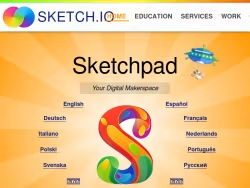
Sketch.io: A Comprehensive Online Digital Art Studio
Sketch.io is a powerful, web-based digital art application that provides users with a full-featured drawing and painting studio directly within their browser. Accessible without any downloads or installations, it offers a robust set of creative tools suitable for artists, students, educators, and hobbyists of all skill levels. The platform emphasizes ease of use, collaboration, and accessibility, making digital art creation possible on virtually any device with an internet connection.
Core Features and Creative Tools
The application boasts an extensive toolkit designed to mimic real-world art supplies while leveraging digital advantages. Users can choose from a variety of brush types, including pencil, pen, marker, and paintbrush, each with customizable size, opacity, and blending modes. The color system is highly flexible, offering palettes, a color picker, and gradients. Beyond freehand drawing, Sketch.io includes essential shape tools, text layers with multiple fonts, and advanced options like layers with adjustable opacity for complex compositions.
A standout feature is the vast, searchable library of clipart and stamps. This resource allows users to quickly add detailed icons, characters, and scenery to their artwork, which is particularly useful for creating storyboards, educational materials, or detailed scenes. The interface is intuitively organized, keeping the canvas clear and tools within easy reach, ensuring a focused creative workflow.
Collaboration and Sharing Capabilities
Sketch.io excels in its collaborative functions. Users can create a drawing session and share a unique link with others to collaborate in real-time. This makes it an excellent tool for team brainstorming, remote classrooms, or just creating art with friends. Every participant can see changes as they happen, fostering a dynamic and interactive creative environment.
Finished artworks can be easily exported in high-resolution PNG or JPEG formats. Furthermore, the platform allows users to save their work directly to its cloud gallery, generating a permanent, shareable URL. This seamless integration of creation, storage, and sharing streamlines the process from initial sketch to final presentation.
Practical Applications and Use Cases
The versatility of Sketch.io makes it applicable in numerous contexts:
- Education:Teachers can use it for interactive lessons, diagrams, and visual explanations, while students can complete art projects or illustrate reports.
- Professional Mock-ups:Designers can quickly sketch interface ideas, wireframes, or concept art.
- Personal Art:Hobbyists have a free, always-available platform to practice drawing, create digital paintings, or design graphics.
- Communication:Teams can use the collaborative whiteboard to map out ideas, workflows, or plans visually during meetings.
Accessibility and User Experience
As a completely free, ad-supported web application, Sketch.io removes financial barriers to digital art. Its requirement is minimal—only a modern web browser. The platform is regularly updated, with a dedicated blog and support resources. The clean, ad-managed interface ensures the core functionality remains unobstructed and performant.
In summary, Sketch.io successfully delivers a professional-grade digital art suite through the web. By combining comprehensive drawing tools with real-time collaboration and effortless sharing, it serves as a valuable and accessible creative hub for anyone looking to create, collaborate, and share visual ideas online.