Happyscribe Reviews

Happy Scribe: Audio Transcription & Video Subtitles

3.92
105 reviews
Great Rating
Based on 105 user experiences
All 5 ★ 4 ★ 3 ★ 2 ★ 1 ★ 😊 Positive 😐 Neutral 😞 Negative Reset Filter
E

Not accurate

I m using it for a project in several languages Not accurate at all They claim they make a big claim on accuracy and it is not true I ve already sent all the transcriptions to revise to another company spending more hours and money
E

Useful

Not perfect at transcription but very useful
W

Lacking in free features

Happy Scribe works well but is lacking in free features
O

My files keep failing upload in

My files keep failing upload in Happyscribe I bought 80 hours and now its not working for me
T

It definitely safes time

It definitely safes time But it is expensive and the transcript need to be worked over It took me quite a while to fix all the mistakes
A

Good at what it does

It is very good if you are transcribing English I had problems getting accuracy for Jamaican and patois Which is understandable If they had explained it couldn t do that However its good to use Would recommend or use again
A

Great Software

Great Software Highly RecommendThe software is quite amazing and worked very well this is a first time experience
M

I am a freelance translator

I recommend this tool to any researcher who is limited on time and cannot do touch typing It will help to speed up your work However do not expect that you won t need to work with it if the records were done in a less common language like English
B

Impressive speed accuracy and ease of editing

Two days in it is too soon to give you a 5 star rating but so far our four transcriptions have gone really well but still a lot of correction time involved about four hours for our first 30 minute skype generated MP4 The systems all work ifne So thank you John
N

I have been using Happy Scribe for my podcast blog post

I am a freelance translator and I sometimes receive requests to translate subtitles for educational videos So I need a transcription of these subtitles in English which I translate into Polish Basically these are recorded lectures i e education in a broad sense Usually the duration of the lecture is 30 45 to 60 minutes or slightly longer I receive the video and have to download the subtitles for further translation I found your Happy Scribe program on the Internet and found it very useful but it was only a demo version I am possibly interested in buying a lifetime license if it would not be too expensive

About Happyscribe

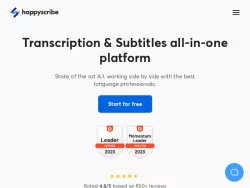
Happy Scribe's automatic and human transcription services convert audio to text with 85-99% accuracy in 120+ languages and 45+ formats. Sign up now!

United States

Visit Website

Own this business?

Claim your profile to respond to reviews, manage your listing, and build trust with customers.

Claim This Business

Frequently Asked Questions

Happyscribe is an online platform specializing in automated and professional transcription, subtitling, and translation services. It converts audio and video files into accurate, editable text using advanced AI and speech recognition technology, as well as offering human transcription for high-precision needs.

The automated transcription service is a fast, cost-effective solution powered by AI, ideal for clear audio and delivering results in minutes. The professional human transcription service is recommended for projects requiring the highest accuracy, such as those with technical jargon, multiple speakers, or poor audio quality, as it involves expert human transcribers.

Happyscribe supports common audio formats like MP3 and WAV, and video formats such as MP4 and MOV. Users can upload files directly, import from cloud storage services like Dropbox or Google Drive, or provide a URL from supported platforms.

Yes, Happyscribe automatically generates subtitles and closed captions for videos. Its intuitive subtitle editor allows for precise timing adjustments, formatting, and export in various formats including SRT, VTT, and TXT, making them compatible with platforms like YouTube and Vimeo.

Yes, Happyscribe offers translation services for transcripts and subtitles into numerous languages. This facilitates content localization and helps users reach a broader, international audience.
Looking for Happyscribe alternatives? We've ranked 20+ similar companies by reviews.
View All Alternatives

About Happyscribe

Happyscribe: Transforming Audio and Video into Actionable Text

Happyscribe is an innovative online platform specializing in automated transcription and subtitling services. It leverages advanced artificial intelligence and speech recognition technology to convert audio and video files into accurate, editable text. Catering to a diverse global clientele, including journalists, researchers, podcasters, students, and businesses, Happyscribe streamlines the process of creating transcripts, subtitles, and captions, saving users significant time and effort.

Core Services and Features

The platform offers two primary service tiers: automated transcription powered by AI and professional human transcription. The automated service provides a fast, cost-effective solution with impressive accuracy for clear audio, delivering results in minutes. For projects requiring the highest level of precision, such as those with technical jargon, multiple speakers, or poor audio quality, the human transcription service connects users with expert transcribers.

Key Functionalities:

  • Transcription:Converts audio (MP3, WAV) and video (MP4, MOV) files into text documents. The interactive editor allows for easy playback synchronization, text editing, and speaker identification.
  • Subtitling & Captioning:Automatically generates subtitles and closed captions for videos. The intuitive subtitle editor enables precise timing adjustments, formatting, and export in various formats like SRT, VTT, and TXT for use on platforms like YouTube and Vimeo.
  • Translation:Offers translation services for transcripts and subtitles into numerous languages, facilitating content localization and broader audience reach.

User Experience and Integration

Happyscribe is designed with a user-friendly interface that simplifies the entire workflow. Users can upload files directly, import from cloud storage services like Dropbox or Google Drive, or even provide a URL from supported platforms. The platform emphasizes collaboration, allowing teams to work together on transcripts and subtitle files in real-time, with features for adding comments and notes.

For frequent users and larger organizations, Happyscribe provides API access and custom solutions, enabling seamless integration into existing media production and content management systems. This makes it a scalable tool for media houses, educational institutions, and corporate communication departments.

Accuracy and Security

While promoting the speed of its AI engine, Happyscribe is transparent about the factors influencing accuracy, such as audio clarity and speaker dialect. The platform employs robust security measures, including SSL encryption, to protect user data and confidentiality, which is crucial for handling sensitive interviews, legal proceedings, or private business meetings.

Target Audience and Applications

Happyscribe serves a wide array of professionals and use cases. Podcasters use it to create show notes and transcripts for SEO. Journalists and researchers rely on it to accurately quote interviewees. Video producers and marketers utilize it to add subtitles, improving accessibility and viewer engagement. Academics and students transcribe lectures and interviews for study and analysis.

In summary, Happyscribe positions itself as a comprehensive, efficient, and reliable tool in the media transcription landscape. By combining powerful AI with optional human expertise, it provides flexible solutions that enhance productivity, ensure content accessibility, and help users unlock the full value of their spoken-word media.