No reviews found with these filters.
Clear FiltersAbout MailEditor
MailEditor – Drag & Drop HTML Email Builder
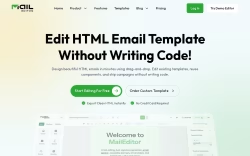
MailEditor is an online platform that enables users to create, edit, and export responsive HTML email templates using a visual drag-and-drop interface. Designed for marketers and teams without extensive coding experience, the service focuses on simplifying the email creation process while supporting integration with popular email service providers.
No-Code Email Editing
The platform provides a no-code solution for editing custom HTML emails. Users can visually edit emails without writing code, making the process accessible to non-technical users. The editor supports uploading existing HTML emails, editing them visually, and exporting clean HTML files ready for deployment. This workflow allows for rapid iteration and reuse of email components across campaigns.
Module Library and Signature Tools
MailEditor includes a module builder with 200+ pre-built modules to help users create emails quickly. The platform also offers a signature generator with a library of modern email signatures that can be edited easily and used with any platform. These features are intended to streamline routine email design tasks and maintain brand consistency.
Template Library and AI Assistance
Users can choose from a library of premium email templates or upload their own designs. The platform offers AI-powered tools to generate templates based on user prompts, aiming to accelerate the creative process. This combination of templates and AI assistance is positioned as a way to build emails faster and explore more design options.
Integrations and Compatibility
MailEditor is designed to work with major email service providers, including MailChimp, HubSpot, Salesforce, and others. The platform supports exporting templates compatible with various ESPs, which makes it suitable for different email marketing workflows. It is presented as a tool for marketers, agencies, and teams managing recurring email campaigns.
User Feedback and Use Cases
User testimonials highlight scenarios such as reusing newsletters, reducing reliance on developers, and enabling non-specialists to edit custom templates. These use cases emphasize MailEditor’s role in supporting teams that require frequent email updates and collaboration between designers and marketers.
Resources and Support
The site provides resources such as documentation, a blog, and blueprint guides to help users get the most from the platform. Security for checkout is powered by Brevo, and the platform maintains links to legal pages including privacy policy and terms of service. For custom needs, users have the option to order custom templates designed by the MailEditor team.