No reviews found with these filters.
Clear FiltersAbout tempmaillab.com
Temp Mail Lab: Free Temporary Email Service
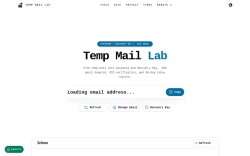
Temp Mail Lab provides a free temporary email service designed for secure and private online signups. The platform offers disposable inboxes with password and Recovery Key protection, .EDU email domains, OTP verification capabilities, and a 30-day inbox restore option. The service is built for users who need a fast, no-registration email solution for temporary use.
Core Features and Functionality
Temp Mail Lab enables users to generate a free temp mail address instantly without requiring personal data or registration. Each temporary inbox includes a password and Recovery Key, allowing users to secure and restore their inbox for up to 30 days. The platform supports .EDU email domains when available, making it useful for accessing student offers and discounts. Received emails are generally removed after approximately 15 minutes, though the inbox can be restored within a 30-day window using the Recovery Key.
Email Domain Options and Use Cases
The service supports multiple email domains, including Google and Microsoft domains, which are recognized across platforms for reliability and security. Educational (.EDU) domains are available through a domain selector when in stock. Professional business email scenarios, OTP verification, software trials, marketplace account creation, and QA testing are highlighted as common use cases. The platform emphasizes it is not intended for long-term accounts requiring permanent access, such as banking, legal, or healthcare services.
Security, Privacy, and Best Practices
Users are encouraged to protect their inboxes by setting a strong recovery key or password. Temp Mail Lab positions itself as a tool for legitimate activities, including signups, verification, and testing workflows. The service enforces an Acceptable Use Policy that prohibits phishing, fraud, credential abuse, malware delivery, and harassment. Users retain control of their temporary inbox through the recovery key and should allow addresses to expire naturally after the retention period.
How to Use Temp Mail Lab
- Open Temp Mail Lab to generate a temporary email address.
- Copy the address and select a .EDU domain from the selector if one is available.
- Use the email for OTP codes, signups, verification, or testing purposes.
- Save the Recovery Key to restore the inbox later if needed.
- Let the inbox expire after the retention window ends.
Additional Tools and Information
Temp Mail Lab is linked to a suite of tools, including a password generator and 2FA online utilities, which complement its privacy-focused ecosystem. The platform maintains a blog, privacy policy, terms of service, and support resources for users. A donate option is available for those who wish to support the service. The service is presented as private, fast, and focused on search visibility, with all rights reserved under Temp Mail Lab ownership.