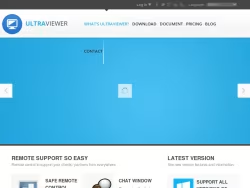
UltraViewer: A Comprehensive Remote Desktop Solution
UltraViewer is a dedicated software platform providing a robust and user-friendly solution for remote desktop access and computer control. Operating primarily through its website, ultraviewer.net, the service facilitates seamless connections between devices, enabling users to offer or receive technical support, collaborate on projects, and access their own computers from anywhere. The platform is designed with a clear focus on simplicity, security, and accessibility, making it a practical choice for both individual users and IT professionals.
Core Functionality and Key Features
At its heart, UltraViewer allows one user to view and control another computer's desktop over an internet connection. This is achieved through a straightforward process: both parties download a lightweight application from the website. The user seeking help provides their unique ID and password to the supporter, who then enters this information to establish a secure connection. Key features prominently highlighted include:
- Remote Control:Full mouse and keyboard control of the remote computer.
- File Transfer:A built-in utility to securely exchange files between connected machines during a session.
- Chat Function:An integrated text chat box for real-time communication without needing external messaging apps.
- Multi-Monitor Support:Ability to navigate across multiple displays on the remote computer.
- Session Recording:Option to record remote sessions for review or training purposes.
Target Audience and Use Cases
The service caters to a diverse audience. Its primary use case is forIT support and helpdeskscenarios, where technicians can quickly resolve issues for clients or colleagues without being physically present. It is equally valuable forindividualsassisting family members with computer problems. Furthermore, it serves as a tool forremote work and collaboration, allowing team members to access specialized software on office computers or work jointly on digital tasks. The straightforward design lowers the technical barrier, making it accessible to non-expert users.
Security and Accessibility
UltraViewer emphasizes security within its platform. Each session is protected by a unique, randomly generated password that changes with every connection, reducing the risk of unauthorized access. The software also features options for user authentication and access rights management. In terms of accessibility, a significant advantage is itsfree availability for personal use. The website offers a clear distinction between its free version, which covers essential features for casual use, and paid plans designed for commercial and professional teams, which include advanced management tools, higher simultaneous session limits, and priority support.
Website Experience and Support
The ultraviewer.net website is structured to provide clear information and easy access to the software. It features detailed download sections, comprehensive comparison tables between plans, and a FAQ or support area addressing common technical questions. The site communicates in a direct, functional manner, focusing on educating the visitor about the software's capabilities and guiding them through the setup process. This approach ensures users can quickly understand the product's value and begin using it with minimal friction.
In summary, UltraViewer positions itself as a reliable and efficient tool for remote desktop connectivity. By balancing a simple interface with capable features and a strong security model, it addresses the core needs of remote assistance and access. Its freemium model allows users to test the service extensively, making it a competitive option in the landscape of remote support software.