RatingFacts Logo
  • Home
  • Categories
  • Reviews
  • Blogs
  • About Us
Loading...
ratingfacts logo

We believe truth should drive every business decision. Our platform empowers buyers to make confident decisions, but they are also a goldmine for vendors who want to authentically engage prospects on RatingFacts and beyond. That is why we built our business on quality and trust. Whether you're a buyer or a vendor, you know we have your back.

Rating Facts

  • Home
  • About us
  • Contact Us
  • Reviews
  • Terms of Use

For Users

  • Categories
  • Blogs
  • Security
  • Privacy Policy
  • FAQ

Follow Us

© 2025 Rating Facts. All rights reserved.

  1. Home
  2. All
  3. Ultraviewer
Ultraviewer

Ultraviewer Reviews

UltraViewer - The Free Remote Desktop Software

All

ultraviewer.netVisit Official Website

2.71

21 reviews

Average Rating

Based on authentic user experiences

2.71

21 reviews

Average Rating

Based on authentic user experiences

Rated 2.71 out of 5 by 21 Happy Customers

40%
0%
0%
0%
60%

Andrea Morgan

N/A

2 years ago

THIS PROOF THAT SCAMMERS REMOTELY

THIS PROOF THAT SCAMMERS REMOTELY ACCESS MY COMPUTER This is the scammer s information The computer 38719592 LAPTOP-L962V92Q has just lost the connection to you May be the internet connection in 1 of 2 sides has trouble Please check your internet connection and tell or wait your partner to reconnect to you It all started when they hacked into my computer with a fraudulent alert signal I was working on my computer when I got a Fraudulent Alert on my computer to call Microsoft I call Microsoft and a woman name Ms Rose Carter Employee ID MS180244 claim to be a Microsoft Technician She told me to go to Run and type in Ultra Viewer on my computer then to install it on my computer Then she told me to give her the User ID and the Password for Ultra Viewer I gave it to her and she accesses my computer remotely and scans my computer and told me there were some fraudulent activities and a virus called Trojan on my computer After that she told me to check my email and my bank account to see if my money was still there I told her the name of my bank and my zip code She told me to log out of my account and give her the phone number on the back of my bank card She then calls the phone number to my bank and connected me to Mr David Starks from the Fraud Department He asked for my Debit Card numbers and I gave it to him with my zip code Mr David Starks told me there was a transaction for 8 000 transaction pending on my account I told him that I never authorized such transaction on my account Basically they used my information to stole money from Department of Labor and put it into my account Now they want me to get 16 Prepaid Debit Cards naming Sephora or Target so I can put 500 00 on each card which adds up to 8 000 I checked three stores and they told me they don t sell those types of prepaid debit cards I told them I am going to the bank and they told me to get 10 000 cash and not to let anyone know about the transaction It took me an hour to get to Flushing Bank In the mean time Ms Rose Carter and David Starks were still on the telephone If they are working for Microsoft and Flushing Bank why they are still on the phone with me don t they have other customers that need help Anyway I got to the bank and I spoke to Ms Santiago about the problems I was having mean while the Scammers were still on the phone listening to my conservation Ms Santiago checked the Flushing Bank employee workers list and told me that they don t have a Mr David Starks working for them THIS IS WHEN I REALIZED THEY ARE BOTH SCAMMERS THEY USED ULTRA VIEWER AS A TOOL TO SCAM PEOPLE OUT THEIR MONEY I GOT PROOF THIS IS THE SCAMMERS LAPTOP INFORMATION The computer 38719592 LAPTOP-L962V92Q has just lost the connection to you May be the internet connection in 1 of 2 sides has trouble Please check your internet connection and tell or wait your partner to reconnect to you

  • Loading...

Company Overview

UltraViewer: A Comprehensive Remote Desktop Solution

UltraViewer is a dedicated software platform providing a robust and user-friendly solution for remote desktop access and computer control. Operating primarily through its website, ultraviewer.net, the service facilitates seamless connections between devices, enabling users to offer or receive technical support, collaborate on projects, and access their own computers from anywhere. The platform is designed with a clear focus on simplicity, security, and accessibility, making it a practical choice for both individual users and IT professionals.

Core Functionality and Key Features

At its heart, UltraViewer allows one user to view and control another computer's desktop over an internet connection. This is achieved through a straightforward process: both parties download a lightweight application from the website. The user seeking help provides their unique ID and password to the supporter, who then enters this information to establish a secure connection. Key features prominently highlighted include:

  • Remote Control:Full mouse and keyboard control of the remote computer.
  • File Transfer:A built-in utility to securely exchange files between connected machines during a session.
  • Chat Function:An integrated text chat box for real-time communication without needing external messaging apps.
  • Multi-Monitor Support:Ability to navigate across multiple displays on the remote computer.
  • Session Recording:Option to record remote sessions for review or training purposes.

Target Audience and Use Cases

The service caters to a diverse audience. Its primary use case is forIT support and helpdeskscenarios, where technicians can quickly resolve issues for clients or colleagues without being physically present. It is equally valuable forindividualsassisting family members with computer problems. Furthermore, it serves as a tool forremote work and collaboration, allowing team members to access specialized software on office computers or work jointly on digital tasks. The straightforward design lowers the technical barrier, making it accessible to non-expert users.

Security and Accessibility

UltraViewer emphasizes security within its platform. Each session is protected by a unique, randomly generated password that changes with every connection, reducing the risk of unauthorized access. The software also features options for user authentication and access rights management. In terms of accessibility, a significant advantage is itsfree availability for personal use. The website offers a clear distinction between its free version, which covers essential features for casual use, and paid plans designed for commercial and professional teams, which include advanced management tools, higher simultaneous session limits, and priority support.

Website Experience and Support

The ultraviewer.net website is structured to provide clear information and easy access to the software. It features detailed download sections, comprehensive comparison tables between plans, and a FAQ or support area addressing common technical questions. The site communicates in a direct, functional manner, focusing on educating the visitor about the software's capabilities and guiding them through the setup process. This approach ensures users can quickly understand the product's value and begin using it with minimal friction.

In summary, UltraViewer positions itself as a reliable and efficient tool for remote desktop connectivity. By balancing a simple interface with capable features and a strong security model, it addresses the core needs of remote assistance and access. Its freemium model allows users to test the service extensively, making it a competitive option in the landscape of remote support software.

About Ultraviewer

UltraViewer - The Free Remote Desktop Software

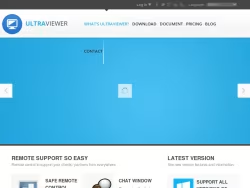
UltraViewer is a remote desktop software that helps you to remote control your client's computer to support them like you're sitting in front of the screen.
United States
ultraviewer.net

FAQ

UltraViewer is a software platform designed for remote desktop access and computer control. Its primary purpose is to enable users to establish secure connections between devices over the internet. This facilitates activities such as providing or receiving technical support, collaborating on projects, and accessing one's own computer from a remote location.

To start a session, both parties must download the lightweight UltraViewer application from the official website, ultraviewer.net. The user needing assistance runs the application and provides their unique session ID and a randomly generated password to the supporter. The supporter then enters this ID and password into their own UltraViewer application to initiate a secure connection.

Andrew

N/A

2 years ago

Tried to get scammed by someone

Tried to get scammed by someone claiming to be from McAfee Please try to eliminate this type of user Tried to scam me for 149 00 check web address

Dan Stewart

N/A

2 years ago

the WORST TECH IF YOU WANT TO CALL HIM THAT DID NOTHING BUT SHOW ME A BOGUS SCREEN SAYING THAT ALL MY PROGRAMS HAD STOPPED HE WAS INNCORRECT JUST WANTED TO CHARGE ME FOR BAD INFO

The WORST EVER Tech tried to tell me to look at screen and see all errors Must have a way to put this BOGUS info up to scare me VERY VERY DISSAPOINTED with your company and will contact all scam sites to let them know as well SHAME ON YOU

Joan

N/A

2 years ago

I could not figure out how to contact

I could not figure out how to contact you I think I was the victim if a scam by someone using your company They had me install ultra viewer on my computer and now I am afraid I will be hacked I do not know what to do

Concerned User

N/A

2 years ago

The user interface is horribly designed

The user interface is horribly designed -you can t see if anyone is connected to you Another terrible feature is the ability of a person who originally had an address and access code to continuously connect and disconnect with the remote computer A software vendor used this to connect to my computer about an hour after disconnecting without requiring any other information from me I do have experience with other remote desktop software its just that this software is terrible and a huge security risk

Virtual Rewards

N/A

2 years ago

Customer support unresponsive Contact number cannot be reached not accessible

I installed Ultraviewer and was having issues about downloading files to my students computers remotely I sent an email to support but did not receive any reply I tried calling their number but is it not working I only wanted to know how I can download files to students computer and can I send the files like 10 mins before their test and would they be notified if I sent it earlier I wanted to send the exam at least 10 mins before the test so I can send the test to all 15 of them and they can open it all at the same time I don t post my email on public forums let me know to what email should I send my order number so you can assist me with my problem

Sam

N/A

2 years ago

Just got a phone call from a scammer

Just got a phone call from a scammer saying their from aoi tech solution after installing your download I thankfully did some research and realised this company no longer exists user log was 54252835

Delores Stevens-Spencer

N/A

2 years ago

rude technician

technician was rude never gave me his name just that they were a global tech company Basically just told me how to do a download and set up wanted to know what website I was using before my computer was locked I disconnected the call and began to serch for reviews and to find out if this is a legitimate reason to company but why are you trying to cell me more software when I have Microsoft and McAfee protection for for that

SinReaper

N/A

2 years ago

Company is fully aware scammers use

Company is fully aware scammers use their software for scamming and takes little to no action to protect consumers Don t support companies who are the core set of apps scammers use to take billions from elderly in the US alone

mike

N/A

2 years ago

Helping Scammers

Helping ScammersThis software is used by scammers from Indian call centers they are calling and say they are from Microsoft then downloading this software and get access to my pc and downloading more stuff to like Remote Access Tools Please do something against this

UltraViewer offers several key features including full remote mouse and keyboard control, a secure built-in file transfer utility, an integrated text chat function for real-time communication, support for navigating multiple monitors on the remote computer, and the option to record remote desktop sessions for later review or training purposes.

Yes, UltraViewer emphasizes security. Each connection session is protected by a unique, randomly generated password that changes every time, which helps prevent unauthorized access. The platform also provides options for user authentication and management of access rights to enhance security during remote sessions.

UltraViewer caters to a diverse audience. It is widely used by IT professionals and helpdesk teams for remote technical support. It is also suitable for individuals assisting friends or family with computer issues, as well as for remote workers and teams needing to collaborate on projects or access computers from different locations.

Yes, UltraViewer offers a free version for personal, non-commercial use. This version includes essential features for remote assistance. For commercial use or professional teams requiring advanced management tools, higher session limits, and priority support, paid plans are available, with details provided on the UltraViewer website.

The official source for downloading the UltraViewer application and obtaining comprehensive information is the company's website, ultraviewer.net. The site provides download links, detailed feature comparisons between different plans, and a support or FAQ section to address common technical and usage questions.

Yes, UltraViewer includes a built-in file transfer utility. This feature allows users to securely exchange files between the local and remote computers during an active remote desktop session, eliminating the need for external file-sharing services.

Yes, UltraViewer has multi-monitor support. When connected to a remote computer with multiple displays, the supporter can navigate and control across all of the connected monitors seamlessly from within the UltraViewer session window.

Related Companies

Anyviewer

Anyviewer

3.00(20)

anyviewer.com

Remoteutilities

Remoteutilities

4.72(72)

remoteutilities.com

Remotepc

Remotepc

0.00(0)

remotepc.com

Hoptodesk

Hoptodesk

4.83(23)

hoptodesk.com

Letsview

Letsview

2.82(11)

letsview.com

Easyview

Easyview

3.32(31)

easyview.eu

Radmin-vpn

Radmin-vpn

5.00(2)

radmin-vpn.com

Splashtop

Splashtop

3.92(74)

splashtop.com

Murgee

Murgee

2.38(34)

murgee.com

Maxfreeofficial

Maxfreeofficial

3.96(91)

maxfreeofficial.com

Viewbot

Viewbot

5.00(8)

viewbot.ai

Viewernexus

Viewernexus

3.76(46)

viewernexus.com

Uperfectmonitor

Uperfectmonitor

3.73(77)

uperfectmonitor.com

4kdownload

4kdownload

3.58(141)

4kdownload.com

Firevps

Firevps

4.37(19)

firevps.net

Videosoftdev

Videosoftdev

3.89(109)

videosoftdev.com

Revu

Revu

3.75(117)

revu.co

Rdpserverss

Rdpserverss

2.60(5)

rdpserverss.com

Pulseway

Pulseway

1.00(2)

pulseway.com

Octoeverywhere

Octoeverywhere

4.66(83)

octoeverywhere.com