Veed Reviews

VEED - Edit, Record & Livestream Video - Online

3.54
137 reviews
Great Rating
Based on 137 user experiences
All 5 ★ 4 ★ 3 ★ 2 ★ 1 ★ 😊 Positive 😐 Neutral 😞 Negative Reset Filter
L

Absolutely unreliable horrible

Absolutely unreliable I ve been subscribed to Veed for several months At first it worked beautifully The last several projects I have had to redo not once not twice but 3 - 4 x because their site doesn t work Once again I loaded my clips created my videos added all my edits and text boxes and transitions etc When I tried to export I received a message that my project had not saved I have spent 20 hours on the last two projects I ve had to send screenshots links send videos to them They continue to give me the run around give me excuses have their team research and absolutely hit or miss if anything is able to work Such a wonky overpriced solution for creating videos Cancelled my subscription and got out before wasting any more time and money What a joke
T

This software is very glitchy

This software is very glitchy Often the sound doesn t work during playback and the subtitle generation is not very accurate Editing the subtitles when the sound is glitching is very frustrating on a longer project
A

Does not save properly

Does not save properly you lose tons of time because of it Buttons stop working mid way through for no reason Use another program if your gonna pay for it
C

DO NOT BUY THIS TOOL at least not for a full year

This software is almost useless There are so many glitches that makes it completely unreliable for video recordings 1 If you are recording there is no guarantee that your recording will be complete during recording or even during upload The screen refreshes automatically and makes everything blank Doesn t matter the time your 1 hour recording will also just vanish 2 The customer service is equally poor they have just one canned response that they send to everyone and at times keep you on hold for weeks to answer is query For me they kept me waiting for 1 week and then I saw my query vanished 3 They do not have a refund policy they have only Subscription Will not renew policy Not sure what is coming next I have paid for a full year DO NOT BUY THIS TOOL at least not for a full year
R

Gave Veed io a try to use the

Gave Veed io a try to use the background noise cancelling feature which is a nice feature and did a great job The uploading rendering and buffering of videos was glitchy things I would see on the timeline did not make the final product after export Basic tools like lower thirds to give people in your video a name do not come out of the box and there is no setting to make backgrounds This is a very very basic tool and with so many other free basic tools that actually have better options save your money
J

Lots of fake reviews

Lots of fake reviews Initially it looks good but if you actually want to edit your content it starts freaking out with only simple edits so there s no way people are legitimately recommending this
K

why no prior warning for time limit for videos

i was normally editing my short videos on it and it was good but suddenly it says that a 10min video is long and they want a subscription if i wanna download it now i had worked for nearly 2 hrs on that video and instead of any prior notice how can they ask for such a thing its the lowest of the low i would say its showing download option in draft but is not downlding it and its frustrating
H

Issues seem to be endless

Exporting issues are endless project framing is automatically changing resulting in imagery also changing size and shape Lack of solutions from the help desk too Considering the price you pay the service is quite poor Expected a much better service and program seems to be full of internal faults and only seem to be getting worse the more I try and use it I would stay away until they can resolve these program issues
D

Tried the free version Video AI Script

Tried the free version Video AI Script Generator which looks good but the scripts are never completed Wanted to contact sales to find out if buying Pro would complete the scripts but unable to leave a message with them
N

I tried the builder today with a view

I tried the builder today with a view to sign up if I managed to put together a 1 min video Whilst editing I could not find a save button or previous versions but carried on Anyhow wasted 2 hours playing around with programme it looked promising then it started buffering when I tried to export then it crashed Went back into programme and my whole video was messed up completely different colours fonts subtitles not working Shame as I was about to sign up Too buggy and unreliable

About Veed

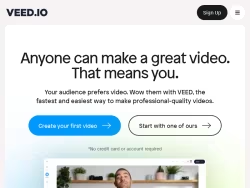
An online video suite for professionals. Record, edit and stream your videos in the cloud. The fastest and easiest way to make professional-quality videos.

United States

Visit Website

Own this business?

Claim your profile to respond to reviews, manage your listing, and build trust with customers.

Claim This Business

Frequently Asked Questions

Veed.io is a comprehensive, cloud-based online video editing platform designed to make professional-quality video creation accessible to users of all skill levels. It operates entirely within a web browser, eliminating the need for software downloads. The platform is a versatile tool for content creators, marketers, educators, businesses, entrepreneurs, social media managers, and enthusiasts who require efficient and powerful editing capabilities without a steep learning curve.

Veed's core features include a robust set of editing tools such as trimming, cutting, and merging clips via a drag-and-drop interface. It excels in AI-powered automatic subtitle generation for multiple languages, audio editing tools for noise reduction and adding music, text-to-speech voiceovers, and integrated screen and webcam recording. The platform also offers customizable templates and brand kits for consistent visual identity.

Veed offers highly accurate, AI-powered automatic subtitle generation. This feature supports multiple languages and allows for extensive customization of text style, positioning, and timing. It is designed to enhance video accessibility and improve engagement on social media platforms by making content easily consumable with or without sound.

Yes. Veed includes built-in functionality for recording your screen, webcam, or both directly within the web browser. This makes it an all-in-one solution for creating tutorials, presentations, training videos, and reaction content without needing separate recording software.

Yes, Veed supports collaborative editing. This feature allows multiple team members to work on video projects simultaneously. Users can leave comments, share feedback in real time, and manage edits collectively, which is particularly valuable for business, educational, and marketing team environments.
Looking for Veed alternatives? We've ranked 20+ similar companies by reviews.
View All Alternatives

About Veed

Veed: An Online Video Editing Platform for Everyone

Veed.io is a comprehensive, cloud-based video editing platform designed to make professional-quality video creation accessible to users of all skill levels. Operating entirely within a web browser, Veed eliminates the need for complex software downloads or installations, offering a streamlined and intuitive workflow for a wide range of video production needs. The platform positions itself as a versatile tool for content creators, marketers, educators, businesses, and social media enthusiasts who require efficient and powerful editing capabilities without a steep learning curve.

Core Features and Functionality

At its heart, Veed provides a robust set of editing tools that cater to modern content demands. Users can easily trim, cut, and merge video clips with a simple drag-and-drop interface. Beyond basic editing, the platform excels in several key areas that address common challenges in video production:

  • Subtitles and Captions:Veed offers highly accurate, AI-powered automatic subtitle generation. This feature supports multiple languages and allows for easy customization of text style, positioning, and timing, which is crucial for accessibility and social media engagement.
  • Audio Editing:The platform includes tools for cleaning up audio, reducing background noise, and adding background music from a built-in library or user uploads. Its text-to-speech functionality can generate voiceovers in various voices and accents.
  • Screen and Webcam Recording:Users can record their screen, webcam, or both directly within the browser, making it an all-in-one solution for creating tutorials, presentations, and reaction videos.
  • Templates and Branding:To speed up creation, Veed provides a library of customizable templates for intros, outros, social media stories, and promotional content. Users can also save brand kits with logos, colors, and fonts for consistent branding.

Specialized Tools for Efficiency

Veed distinguishes itself with a suite of specialized, AI-driven tools designed to automate complex tasks. These include features for automatically removing silent pauses from videos, adding eye-catching subtitles optimized for social media platforms, and even translating video content into different languages. The platform also supports collaborative editing, allowing teams to work on projects simultaneously, leave comments, and share feedback in real time, which is invaluable for business and educational environments.

Output and Integration

Finished videos can be exported in various resolutions and formats suitable for different platforms like YouTube, Instagram, TikTok, and LinkedIn. Veed integrates smoothly with other tools and workflows, enabling users to import media from cloud storage services and export directly to social media or download for offline use. The platform operates on a freemium model, offering a capable free tier with watermarking and usage limits, alongside several paid subscription plans (Pro, Business) that unlock higher export quality, longer video lengths, advanced features, and commercial licensing.

Target Audience and Use Cases

Veed's user-friendly design makes it ideal for entrepreneurs creating marketing videos, educators producing online course content, podcasters turning audio into video clips, and social media managers needing to repurpose content quickly. Its balance of simplicity for beginners and depth for more advanced users allows it to serve as both a primary editing suite for casual creators and a valuable supplementary tool for professionals seeking rapid edits and automated processes like subtitling.

In summary, Veed.io is a powerful, web-native solution that democratizes video editing by combining an accessible interface with a rich feature set focused on automation, collaboration, and the specific demands of digital content creation in today's online landscape.