Veed Reviews

VEED - Edit, Record & Livestream Video - Online

3.54
137 reviews
Great Rating
Based on 137 user experiences
All 5 ★ 4 ★ 3 ★ 2 ★ 1 ★ 😊 Positive 😐 Neutral 😞 Negative Reset Filter
V

Good Features poor pace

The features are helpful for video editing however the site is slow and glitches a lot It tries my patience most every editing session
G

You need more servers

The buffering times seem to be getting worse unfortunately I also notice that it completely hangs up when I try to export videos to HD quality
M

Working with VEED

VEED is great and even as I was a total rookie on the creation of video subtites I could start creating them very easily and also with the good help of the supporting team Unhappily due to the lengthy videos I ve been working with I had to migrate to the business plan and eventually learned that the right plan for me would be the enterprise plan I wasn t able to afford But the experience was really really worthy
E

I ve been using it for about 2 years

I ve been using it for about 2 years it helped me solve a lot of my work through the browser But it has very lacking functional features such as masking But it has nice features such as rendering over the cloud I will give positive feedback on this If you are not a professional veed is for you
L

It s really to use and edit but hard to export

It s really to use and edit but every time I try to export or download the project it only shows the subtitles and says it couldn t upload the actual video properly even though earlier it said it has Every time I export it s just a black screen with my subtitles if someone could help that would be great
S

It s pretty decent but it would be nice a few upgrades for beginners and others

It s pretty decent but it would be nice if it ended out the background noise better and brought in the vocals on an existing video and can make the volume louder and better options of making the visual part a little more sharper to be able to focus in on certain things and it be really clear and not fuzzy But I do like the app it is really good so I do get a good recommendation and I know what time things will get better
J

oopinion

it s pretty slow sometimes and may buffer a lot sometimes but overall it s fine and good for general purposes I don t mind the watermark too
R

I find it a bit buggy

I find it a bit buggy The cutting of clips can be challenging as the sound waves are not great Auto subtitles can be very frustrating Not in terms of getting words wrong but subtitles can hard to edit as they disappear randomly or the time is incorrect There needs to be more transitions on the video as well more custom control over them
P

I have veed io for more than 8 months- Its unreliable

I have veed io 1-year subscription I enjoyed using this tool Sometimes this tool is so unreliable that you have spent an hour recording video or editing it and in the end it has issue with saving your work After facing this issue multiple times I lost interest in using it If you reach out to the support they will say you will have an internet issue but guess that all other websites are working If your connection becomes unstable for seconds they cannot resume uploading or saving work So if you are okay with wasting your time and effort go for it
L

Good on computer but when you go from

Good on computer but when you go on mobile browser is a nightmare site keeps crashing often so you get stucked with the project and have to refresh or wait longer Spent good time on a project cuz it kept crashing constantly dont reccomend from mobile made me waiste so much time just sitting and waiting refreshing etcThanks veed io after a long battle i had to give up the project

About Veed

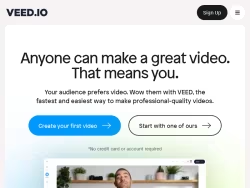
An online video suite for professionals. Record, edit and stream your videos in the cloud. The fastest and easiest way to make professional-quality videos.

United States

Visit Website

Own this business?

Claim your profile to respond to reviews, manage your listing, and build trust with customers.

Claim This Business

Frequently Asked Questions

Veed.io is a comprehensive, cloud-based online video editing platform designed to make professional-quality video creation accessible to users of all skill levels. It operates entirely within a web browser, eliminating the need for software downloads. The platform is a versatile tool for content creators, marketers, educators, businesses, entrepreneurs, social media managers, and enthusiasts who require efficient and powerful editing capabilities without a steep learning curve.

Veed's core features include a robust set of editing tools such as trimming, cutting, and merging clips via a drag-and-drop interface. It excels in AI-powered automatic subtitle generation for multiple languages, audio editing tools for noise reduction and adding music, text-to-speech voiceovers, and integrated screen and webcam recording. The platform also offers customizable templates and brand kits for consistent visual identity.

Veed offers highly accurate, AI-powered automatic subtitle generation. This feature supports multiple languages and allows for extensive customization of text style, positioning, and timing. It is designed to enhance video accessibility and improve engagement on social media platforms by making content easily consumable with or without sound.

Yes. Veed includes built-in functionality for recording your screen, webcam, or both directly within the web browser. This makes it an all-in-one solution for creating tutorials, presentations, training videos, and reaction content without needing separate recording software.

Yes, Veed supports collaborative editing. This feature allows multiple team members to work on video projects simultaneously. Users can leave comments, share feedback in real time, and manage edits collectively, which is particularly valuable for business, educational, and marketing team environments.
Looking for Veed alternatives? We've ranked 20+ similar companies by reviews.
View All Alternatives

About Veed

Veed: An Online Video Editing Platform for Everyone

Veed.io is a comprehensive, cloud-based video editing platform designed to make professional-quality video creation accessible to users of all skill levels. Operating entirely within a web browser, Veed eliminates the need for complex software downloads or installations, offering a streamlined and intuitive workflow for a wide range of video production needs. The platform positions itself as a versatile tool for content creators, marketers, educators, businesses, and social media enthusiasts who require efficient and powerful editing capabilities without a steep learning curve.

Core Features and Functionality

At its heart, Veed provides a robust set of editing tools that cater to modern content demands. Users can easily trim, cut, and merge video clips with a simple drag-and-drop interface. Beyond basic editing, the platform excels in several key areas that address common challenges in video production:

  • Subtitles and Captions:Veed offers highly accurate, AI-powered automatic subtitle generation. This feature supports multiple languages and allows for easy customization of text style, positioning, and timing, which is crucial for accessibility and social media engagement.
  • Audio Editing:The platform includes tools for cleaning up audio, reducing background noise, and adding background music from a built-in library or user uploads. Its text-to-speech functionality can generate voiceovers in various voices and accents.
  • Screen and Webcam Recording:Users can record their screen, webcam, or both directly within the browser, making it an all-in-one solution for creating tutorials, presentations, and reaction videos.
  • Templates and Branding:To speed up creation, Veed provides a library of customizable templates for intros, outros, social media stories, and promotional content. Users can also save brand kits with logos, colors, and fonts for consistent branding.

Specialized Tools for Efficiency

Veed distinguishes itself with a suite of specialized, AI-driven tools designed to automate complex tasks. These include features for automatically removing silent pauses from videos, adding eye-catching subtitles optimized for social media platforms, and even translating video content into different languages. The platform also supports collaborative editing, allowing teams to work on projects simultaneously, leave comments, and share feedback in real time, which is invaluable for business and educational environments.

Output and Integration

Finished videos can be exported in various resolutions and formats suitable for different platforms like YouTube, Instagram, TikTok, and LinkedIn. Veed integrates smoothly with other tools and workflows, enabling users to import media from cloud storage services and export directly to social media or download for offline use. The platform operates on a freemium model, offering a capable free tier with watermarking and usage limits, alongside several paid subscription plans (Pro, Business) that unlock higher export quality, longer video lengths, advanced features, and commercial licensing.

Target Audience and Use Cases

Veed's user-friendly design makes it ideal for entrepreneurs creating marketing videos, educators producing online course content, podcasters turning audio into video clips, and social media managers needing to repurpose content quickly. Its balance of simplicity for beginners and depth for more advanced users allows it to serve as both a primary editing suite for casual creators and a valuable supplementary tool for professionals seeking rapid edits and automated processes like subtitling.

In summary, Veed.io is a powerful, web-native solution that democratizes video editing by combining an accessible interface with a rich feature set focused on automation, collaboration, and the specific demands of digital content creation in today's online landscape.