Convertio Reviews

Convertio — File Converter

3.97
93 reviews
Great Rating
Based on 93 user experiences
All 5 ★ 4 ★ 3 ★ 2 ★ 1 ★ 😊 Positive 😐 Neutral 😞 Negative Reset Filter
L

So easy to use

matained quality of images after covertion
B

I often use this conveter from Epub

great app verry acurate and quick thanks
U

use if you dont need metadata

This was my first time using a m4a to mp3 conversion program It was high on the google list easy to use and really fast
R

wonderful and fantastic and easy

So easy to use no silly ads Amazing One suggestion to make this even better - allow trimming of the video before converting
J

good quality

I often use this conveter from Epub file to PDF file and found that this is the best converter I have used as for the quality and converting speed
L

Great service Will use again

- great speed response at refund 2 - great conversion from jpg to heic 3 - while conversion metadata disappears -1 im sorry to refund metadata problem but it is pretty good at conversion
W

Good site

I needed to convert my HTML and my TIFF to PDF and JPG I was hesitant at first and I tired to figure it out on my own but it came out HORRIBLY wrong So I decided to give it a try It took no time to convert and to download It was great and secure Will use them again in the future if I have to
I

It was able to do the exact work I

Good site good interface good tools
D

simple and accurate

It was able to do the exact work I desire
A

Solution de conversion tr s pratique et

It delivers what it promises easy to use

About Convertio

Convertio - Easy tool to convert files online. More than 309 different document, image, spreadsheet, ebook, archive, presentation, audio and video formats supported.

United States

Visit Website

Own this business?

Claim your profile to respond to reviews, manage your listing, and build trust with customers.

Claim This Business

Frequently Asked Questions

Convertio is an online file conversion platform that allows users to convert files between a wide variety of formats directly within a web browser. It operates without requiring any software installation, enabling users to perform conversions from any internet-connected device. The service is designed to simplify digital workflows by overcoming compatibility issues between different file types.

Convertio supports an extensive range of over 300 different file types. These are organized into clear categories including documents (e.g., PDF, DOCX), images (e.g., JPG, PNG, WebP), audio (e.g., MP3, WAV), video (e.g., MP4, MOV), presentations, fonts, and e-books.

The conversion process on Convertio is streamlined into three simple steps. First, upload your file by dragging and dropping, selecting from your device, importing from cloud storage (Google Drive, Dropbox), or providing a URL. Second, choose your desired output format from the dropdown menu and click to start the conversion. Third, download the converted file once the processing is complete.

Yes, Convertio supports batch conversion. This feature allows you to upload and process multiple files simultaneously, which can save significant time when working with large projects or collections of files.

OCR, or Optical Character Recognition, is an advanced tool integrated into Convertio. It enables users to extract text from scanned documents, image files, or non-searchable PDFs and convert that text into editable and searchable formats such as Microsoft Word or Excel documents.
Looking for Convertio alternatives? We've ranked 20+ similar companies by reviews.
View All Alternatives

About Convertio

Convertio: A Comprehensive Online File Conversion Platform

Convertio is a versatile and user-centric online service designed to facilitate effortless file conversion across a vast array of formats. Operating entirely within a web browser, it eliminates the need for software installation, providing immediate access to powerful conversion tools from any device with an internet connection. The platform's core mission is to simplify digital workflows by breaking down compatibility barriers between different file types, catering to individuals, students, and professionals alike.

Extensive Format Support

The strength of Convertio lies in its remarkably broad support for over 300 different file types. This extensive library is organized into clear categories, making navigation intuitive. Users can convert documents (e.g., PDF, DOCX, ODT), images (e.g., JPG, PNG, SVG, WebP), audio files (e.g., MP3, WAV, FLAC), video files (e.g., MP4, AVI, MOV), presentations, fonts, and even e-book formats. This wide-ranging capability makes it a one-stop solution for diverse conversion needs, from preparing a document for a specific application to optimizing media for web use.

User-Friendly Interface and Workflow

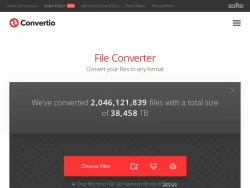
The website features a clean, minimalist, and highly functional interface. The conversion process is streamlined into three simple steps:

  1. Upload:Files can be added via drag-and-drop, from the user's device, from cloud storage services like Google Drive or Dropbox, or directly via a URL.
  2. Convert:After selecting the desired output format from a dropdown menu, the conversion is initiated with a single click.
  3. Download:Once processing is complete, the converted file is made available for download instantly.

This straightforward process ensures that even users with minimal technical expertise can perform complex conversions efficiently. The platform also supports batch conversion, allowing multiple files to be processed simultaneously, which is a significant time-saver for large projects.

Key Features and Capabilities

Beyond basic conversion, Convertio integrates several advanced features. The Optical Character Recognition (OCR) tool is particularly notable, enabling users to extract text from scanned documents, images, or PDFs and convert it into editable and searchable formats like Word or Excel. For media files, the platform offers basic editing options, such as compressing images, resizing videos, or adjusting audio quality during the conversion process. All conversions are performed on secure servers, and the company states that uploaded files are automatically deleted after a short period to ensure privacy.

Accessibility and Pricing Model

Convertio operates on a freemium model. The free tier is robust, allowing conversions for files up to 100MB in size, which is sufficient for many everyday tasks. For users with higher demands, premium subscription plans remove file size limits, offer faster processing speeds, enable concurrent conversions, and provide priority customer support. This tiered approach makes the service accessible to casual users while offering enhanced capabilities for power users and businesses.

In summary, Convertio.co stands as a reliable, efficient, and comprehensive online file conversion hub. Its combination of extensive format support, an intuitive interface, and valuable additional features like OCR and batch processing positions it as a highly practical tool for anyone regularly needing to transform digital content from one form to another.