Mega Reviews

MEGA

3.61
129 reviews
Great Rating
Based on 129 user experiences
All 5 ★ 4 ★ 3 ★ 2 ★ 1 ★ 😊 Positive 😐 Neutral 😞 Negative Reset Filter
M

Great Product

Great Product but the lack of any support would now question me to move to something else
P

5 for desktop sync user interface

5 for desktop sync user interface much more informative than Dropbox Gdrive and Onedrive Speed of sync is acceptable contrary to what others have reported although not as fast as Dropbox 3 for web interface Takes absolutely ages to load you get a screen saying Decrypting for 20 minutes sometimes Once you are there however this is excellent 1 for a massive fail in the concept of Megasync regarding the ability to move folders from one place to another on your hard drive Doing this deletes the folder in the cloud and then re-creates it after the move Because deleted folders are kept in a Rubbish folder which contributes to your data allowance this means that you cannot move a folder having files which add up to more than the available free space on your Mega drive Consider this example I have a 50GB Megadrive and I am using 45GB therefore 5GB is spare If I wish to move a 10GB subfolder from one place to another in my local machine this move will fail in Mega because there is insufficient space to create a rubbish folder of 10GB in size This flaw must be addressed by Mega I hope the people there are watching these reviews
K

Used to be good when Kim dot com had a

Used to be good when Kim dot com had a hand in it Not so good these days Looking forward to his next project
F

Please reply to my email fast It almost

Please reply to my email fast It almost took your support 3 weeks to reply please solve my problem before my account gets deleted
A

There should be a way to recover

There should be a way to recover password if anybody forget Istead of recovery key there should be a method by phone number to reset the password
H

mega nz is okay

It has encryption it focuses most of secure and google drive dosent have encryption but it lacks of support and it lies you can have 50GB free But that becomes smaller and smaller as the time go and the mega bonuses fade away
K

Too many limitations

It would be the best solution but the space keeps changing in relation on how many friends you invite and this makes the user experience very poor as you always have to worry because if you don t invite someone you may loose space and you have to delete them in order to keep using the service Also the bandwidth is impossible to calculate so it s very likely for a user to get his downloads interrupted in the middle of the download It would be very safe and fast but it has some limitations that won t let you enjoy the service fully and the main one is the bandwidth kinda useless a cloud you can t download from
J

It s ok for free

It s ok for free Easy to use But there are several problems that haven t been fixed for ages even when you file a crash report The desktop app crashes often on Kubuntu Sync does not work reliably if you got more than two devices The Android app is not able to sync but you can use a third party app Support is quick and nice
I

Shortcomings outweigh the advantages

Obvious advantage of MEGA is that it can sync individual folders located on different disks almost all cloud storage softwares require moving all synced files into a single folder and this is extremely inconvenient Another excellent feature is that it shows you what files it is currently syncing and shows you a log of recently synced files many other softwares operate in a completely non-transparent manner so a user is completely out of control of what s happening Compared to other cloud storage softwares it uploads files quickly Now about unpleasant things that make MEGA problematic First it adds desktop ini file into each synced folder Other softwares can somehow work without this Second files deleted overwritten in a synced folder get moved to a hidden folder called rubbish in Windows located inside each local synced folder As a result your synced folders became full of garbage while you may be unaware of this because it is hidden Third it eats cloud storage very quickly due to either versioning or moving files to rubbish bin If you work with large autosaving files for example OneNote files your cloud storage will be expended quickly There is no acceptable combination of software settings to prevent this obviously MEGA creates a situation when you ll need to upgrade your plan with more cloud storage No girls this doesn t work in my case Customer support is not too fast and asks you a lot of irrelevant questions what operating system what version what browser mobile or desktop web or app take a screenshot or record a video etc instead of focusing on your straightforward question After testing MEGA for two weeks my decision was to uninstall MEGA and forget about it
B

used to be good

used to be good Helped in times when I had to move places with 100s of GBs of client datalast month my subscription expired and there was no notification and when I tried to make the payment it failed 3 times please fix

About Mega

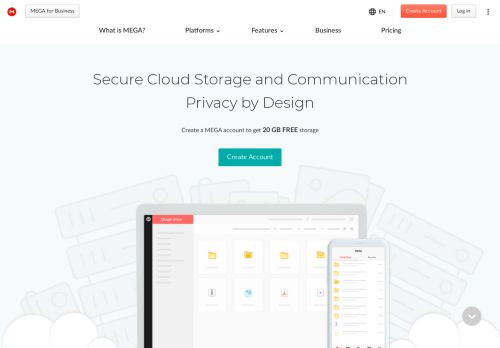
MEGA provides free cloud storage with convenient and powerful always-on privacy. Claim your free 20GB now

United States

Visit Website

Own this business?

Claim your profile to respond to reviews, manage your listing, and build trust with customers.

Claim This Business

Frequently Asked Questions

MEGA is a global cloud storage and communication platform founded in 2013, distinguished by its default end-to-end encryption for all user data. Unlike many mainstream providers, MEGA operates on a 'zero-knowledge' model where encryption keys are solely controlled by the user, not the company. This fundamental design prioritizes user privacy and security, ensuring that MEGA cannot access the content of files stored on its servers.

End-to-end encryption by default means that all files uploaded to MEGA are encrypted on the user's device before being transmitted to MEGA's servers. The decryption keys are derived from the user's password, which MEGA does not store. Consequently, only the user can decrypt and access their data. This provides a high level of privacy, as MEGA cannot view file contents, even under legal request. It also means users must safeguard their passwords, as losing them results in permanent data loss.

MEGA provides a comprehensive suite of features including secure cloud storage with a generous free tier, file synchronization across devices via desktop and mobile apps, and secure file sharing with password protection and link expiration. It supports real-time folder collaboration, includes MEGAdrive for streaming videos and previewing documents directly in the browser, and offers encrypted chat (MEGAdrop) for secure file receiving and communication. These tools cater to both individual and business needs for storage and collaboration.

Users can share files and folders by generating secure links. These links can be customized with passwords and expiration dates to control access. For collaboration, MEGA allows multiple users to be added to shared folders. Changes made by any participant, such as adding, editing, or deleting files, are synchronized in real-time across all members' devices. All shared data remains protected by MEGA's end-to-end encryption throughout the collaboration process.

The 'zero-knowledge' model is a security architecture where the service provider has no access to users' unencrypted data or encryption keys. For MEGA, this means the company cannot decrypt or view the content of files stored on its servers. This model is crucial for privacy as it ensures that user data is protected from unauthorized access, including from MEGA itself or third parties. It places full control and responsibility for data access with the user, emphasizing the importance of password security.
Looking for Mega alternatives? We've ranked 20+ similar companies by reviews.
View All Alternatives

About Mega

MEGA: A Comprehensive Overview of Secure Cloud Storage and Collaboration

MEGA is a global cloud storage and communication platform renowned for its strong emphasis on user privacy and security. Founded in 2013 by tech entrepreneur Kim Dotcom, the service differentiates itself in a crowded market by offering end-to-end encryption by default for all files stored on its servers. This means that encryption and decryption keys are controlled solely by the user, not by MEGA, providing a significant layer of privacy and data control.

Core Features and Services

The platform provides a robust suite of tools designed for both individual users and businesses. Its primary offerings include:

  • Secure Cloud Storage:Users receive a generous amount of free storage upon sign-up, with options to expand through paid plans. All data is encrypted client-side before it leaves the user's device.
  • File Synchronization:MEGA offers desktop and mobile applications that sync files across multiple devices, ensuring access to the latest version of documents, photos, and videos anywhere.
  • File Sharing and Collaboration:Users can share files and folders via secure links. These links can be password-protected and set with expiration dates. A key feature is the ability for multiple users to collaborate on folders in real-time, with changes synced across all participants.
  • MEGAdrive:This feature allows users to stream videos and preview documents directly in the web browser without needing to download the files first.
  • Encrypted Chat:MEGA includes a communications service called MEGAdrop for secure file receiving and a chat function that also benefits from end-to-end encryption for text and file transfers within conversations.

Security and Privacy Model

The cornerstone of MEGA's value proposition is its security architecture. The company operates on a "zero-knowledge" model. User files are encrypted with a unique key derived from the account password, which MEGA does not store. Consequently, the company cannot access the content of user files, even if compelled by legal requests. This design places the responsibility for password management squarely on the user, as losing the password means irreversible loss of access to the encrypted data.

User Experience and Accessibility

MEGA provides a clean, intuitive interface via its website and dedicated apps for Windows, macOS, Linux, Android, and iOS. The service is designed to be accessible, offering a substantial free tier that makes secure storage available to a wide audience. Paid Pro plans provide increased storage quotas, higher transfer limits, and additional features tailored for professional and business use.

Target Audience and Use Cases

MEGA caters to a diverse user base, including:

  • Privacy-conscious individuals seeking an alternative to mainstream cloud providers.
  • Professionals and teams needing a secure environment to share and collaborate on sensitive documents.
  • Businesses looking for compliant cloud storage solutions with strong data protection credentials.
  • Anyone in need of reliable, encrypted backup for personal data.

In summary, MEGA positions itself as more than just a cloud drive; it is an integrated platform for secure storage, communication, and collaboration. By prioritizing end-to-end encryption and user-controlled keys, it offers a compelling option for those who view data privacy as a paramount concern in their digital activities.