MindContact
N/A

A fast editor for designing databases and exporting to multiple flavours
I used this tool to design a database with dozens of tables using the text editor Generated the PDF with the schema and the SQL for MySQL MariaDB SQLServer and PosgreSQL with a few clicks The editor is very fast and the learning curve very fast also thanks to the very clear and comprehensive online contextual help There is a free plan up to 10 tables plus there are paid plans even weekly I found the weekly plan very useful to be able to reactivate my license and make small changes to the design while the longer plans to be able to work on multiple projects I highly recommend this tool if you need to design a database quickly without having to install specific tools that can limit your speed and productivity
Nichlas Madsen
N/A
QuickDatabaseDiagrams QDD is a
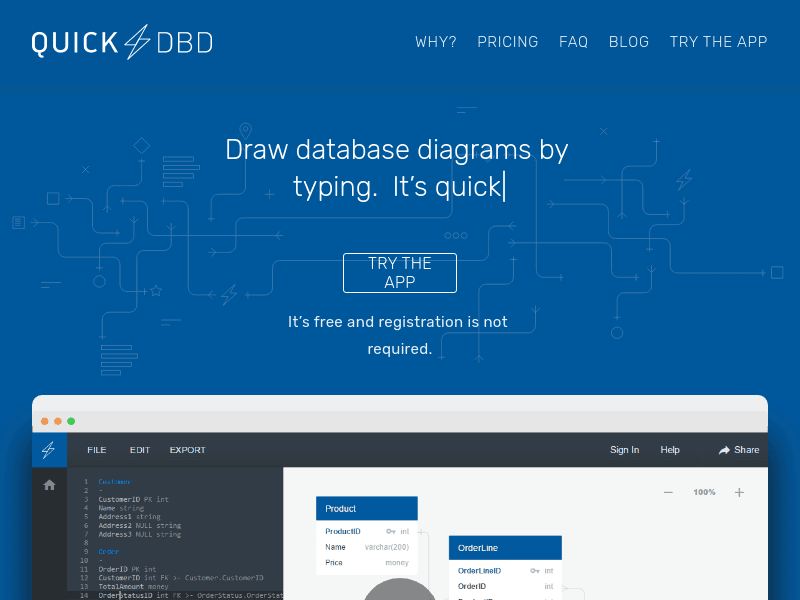
QuickDatabaseDiagrams QDD is a precise and on point software which takes some of the notoriously challenging parts of software development database redesign and turns it into a plug and play solution After years of experience with blank diagramming canvas that after first agreement on scope and solution continuously needs to adapt to scope creep laws new leaders etc which unfortunately is unavoidable then QDD really made it easy to cope with all this and to some extent can be seen as the antidote to that malaise The standout feature here is speed When typing your database schema in a simple text format it instantly checks and generates a schema which very easy can be moved around and transformed into a professional-looking entity-relationship diagram For me is that fact that I do not have to drag shapes around or try to align boxes perfectly an enormouse plus Sometimes I wish I could make it work slower so I get more time to get coffee A big advantage is the simplicity Unlike some tools I have used which requires almost a Ph D in database theory just to connect a table to a foreign key a book and a course to understand the functionality QDD uses a straightforward intuitive interface Describing tables as you want and fields in text format Relationships are handled automatically and it makes some good decisions on how to position them so it does not cluster they just snap into place And if you do make a mistake Correcting it is as simple as editing the text and regenerating It s database design without the usual friction which means you can focus on getting your data model right without being bogged down by the tool itself Fixing mistakes or adapting changes is simple and honestly those little quirks make using QDD a little more interesting QDD shines in terms of collaboration Because it uses text to create diagrams and the fact that you can share your work with colleagues enabling co-working on schemas live with live updates versioning etc All of which makes the process more fluent And it is all done with an email to invite people Unlike typical diagram files that become impossible to understand and follow and ends up being a cumbersome binary blob in your Git history QDD s text-based schemas are as easy to manage as your code when having a good governance That takes us to the export functionality that with the MySQL export feature makes it easy to adapt changes into your project especially when working with flyway scripts because in that case similarity and governance is important To sum it up QuickDatabaseDiagrams is a fantastic tool for architects and developers who want to turn database planning from a chore into a breeze It s fast and easy to use Always room for improvement which is not a bad thing but the time it saves and the simplicity it offers make it more than worth it If you need a database diagram QDD is a good choice